Our one on one events is combined with Calendly.
Set up your one on one event portal in these simple steps.
Head over to Calendly and sign up for their free plan if you do not have one.
Next, head over to EZ Colab web app
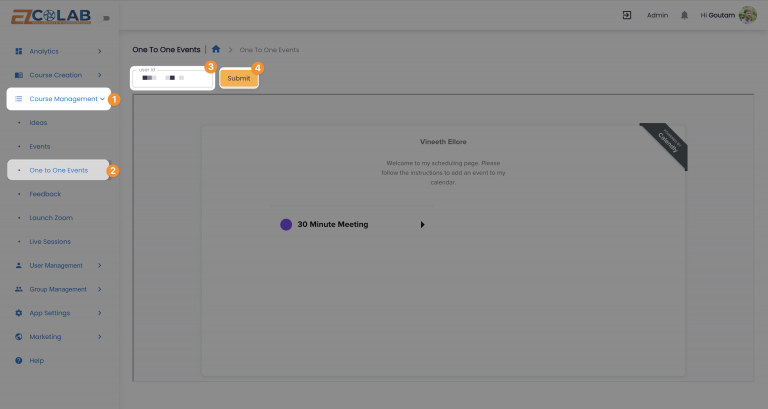
Select Course Management.
Click on One to One Events
Enter your Calendly user-id and press submit.
Thats it! Your students can now find you on their One to One Event portal instantly and schedule events in a jiffy.