
It's very easy to build your course on EZ Colab.
Tip: If you haven't created your Master Group or Minor Group, check out this link first and set it up first.
Once you are done with the pre-requisites, follow these simple steps.
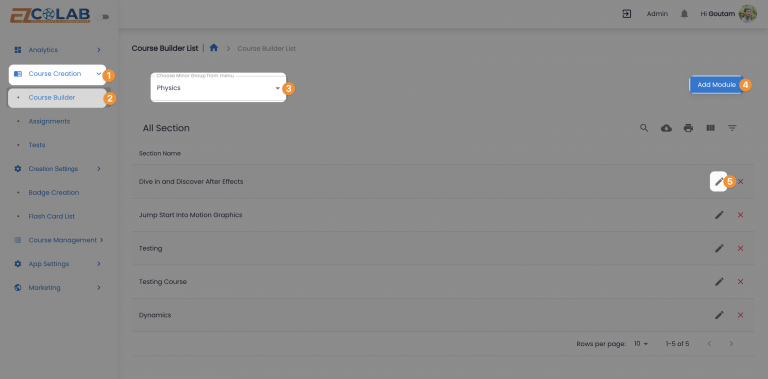
Head to Course Creation.
Select Course Builder.
Choose the Minor Group where you want to add your content.
Add your first module by clicking Add Module.
Next, click on the "pencil" or "edit" icon to structure your content.
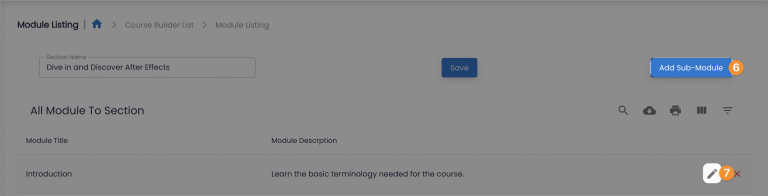
Add your first Sub Module.
Next, click on the "pencil" or "edit" icon to add your content.
Depending on your plan, you can choose to host your content with your own URL, upload on our secure sever or upload on highly secure Vimeo servers.
Add a test or an assignment if needed for that sub-module.

